Log in / Sign in
The RAZDOLBOSCH is an advanced tuning adapter (wide memory access smart ECM harness) designed for secure, low-level access to Bosch ECM 4.x on Volvo Group vehicles and equipment from 2023 onward.
The RAZDOLBOSCH works together with any RP1210-compatible diagnostic adapter and unlocks advanced service and tuning operations that are not possible through the standard OBD port, including:
- DPF / SCR / EGR delete
- AdBlue / DEF delete
- Bench (off-vehicle) or on-engine use
Download Instructions
- Download RAZDOLBOSCH Adapter Connection Guide (PDF)
- Download RAZDOLBOSCH Adapter Tuning Manual (PDF)
RAZDOLBOSCH Connection
Follow the steps below to connect your RAZDOLBOSCH adapter properly. Review the entire sequence carefully before you begin.
RAZDOLBOSCH Tuning Adapter
The RAZDOLBOSCH Tuning Adapter is designed for secure, low-level ECU memory access on 2023+ vehicles equipped only with Bosch ECM 4.x architecture.
Remote tuning for DPF, DEF/SCR, and EGR on 2023+ Volvo and Mack trucks, plus Volvo buses—stuff that used to be impossible through the OBD port—is now fully doable with this adapter.
It can be used in both ways: on the bench or on the engine (truck/bus). Works with any RP1210 diagnostic tool.
What’s in the box
RAZDOLBOSCH Basics
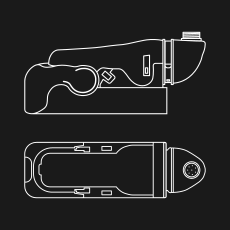
RAZDOLBOSCH (1 pc)
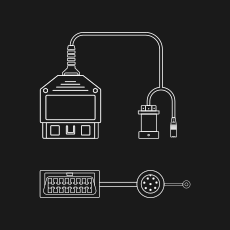
UNO Cable (1 pc)
Power Supply
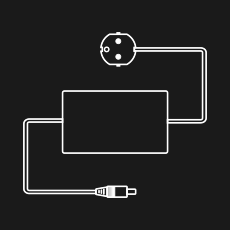
AC adapter (1 pc)
Connection and Tuning
Step 1. The RAZDOLBOSCH connection and ECM preparation
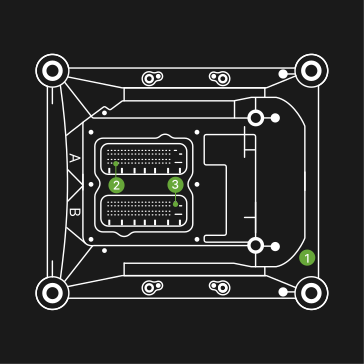
Prepare the ECM 1 for connection with the RAZDOLBOSCH 4.
Release sockets (A, B) 2 and 3.
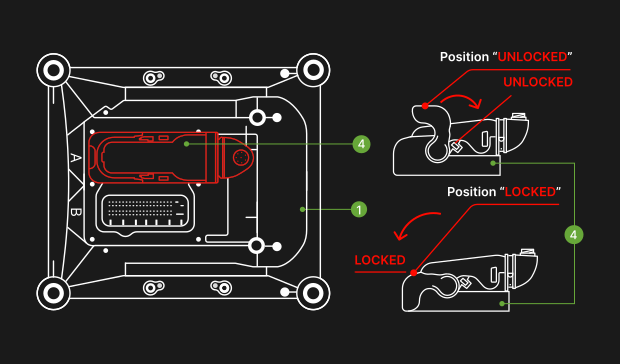
Connect the RAZDOLBOSCH 4 to the ECM 1.
Move the lever to the position “UNLOCKED”.
Connect RAZDOLBOSCH to the “A” ECM socket 2.
Move the lever to the position “LOCKED”.
Connection and Tuning
Step 2. Diag laptop, RP1210 adapter, and power connection to the ECM
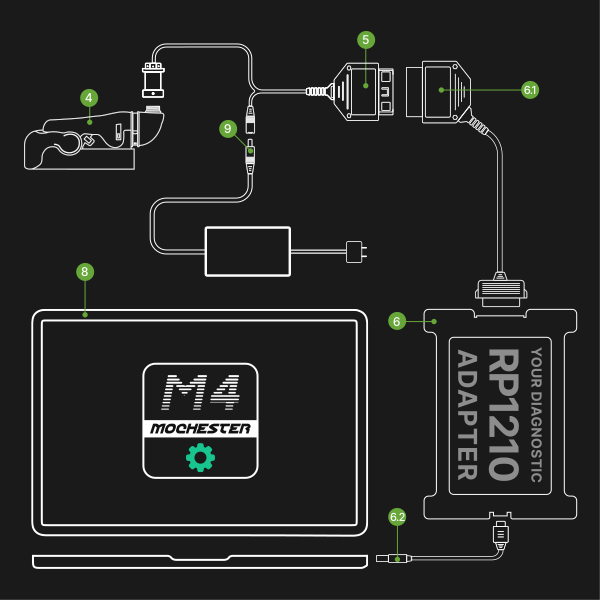
Perform all actions sequentially in the following order:
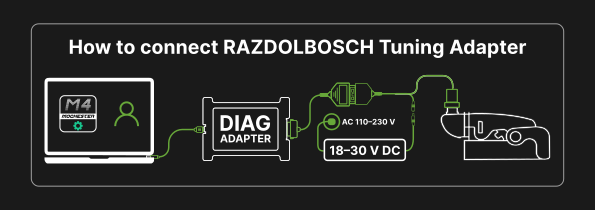
Connect the UNO Cable 5 to the RAZDOLBOSCH 4 and to the RP1210 adapter cable 6.1.
Connect the adapter cable 6.2 to the adapter 6 and the diagnostic laptop 8.
Connect the AC power adapter 9 included with the RAZDOLBOSCH to the UNO Cable 5.
Launch Mochester Application on your diag laptop and follow the instructions.
Wrong Ways to Connect the RAZDOLBOSCH
Do not connect the RAZDOLBOSCH using the vehicle DC-to-AC adapter.
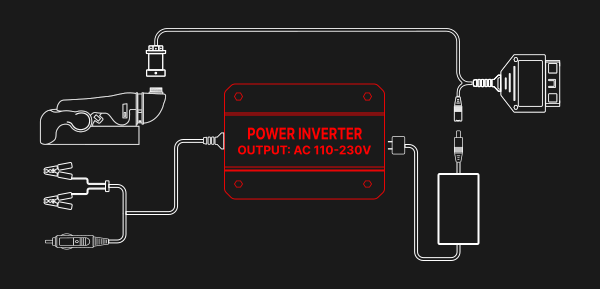
Do not connect the RAZDOLBOSCH using the same electricity network as the truck battery charging device is.
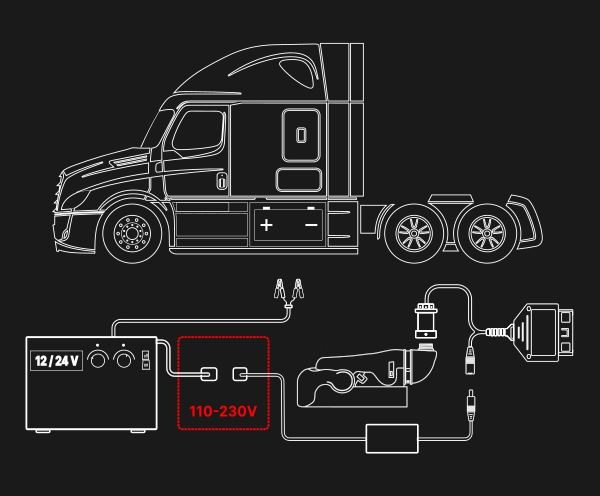
RAZDOLBOSCH Tuning
Please carefully follow the steps outlined in the manual to correctly complete the tuning process.
Step 1. How to Tune Your Truck with the RAZDOLBOSCH
Make sure to disconnect both harnesses (A, B) before connecting the RAZDOLBOSCH adapter; otherwise, the ECM/EMS may be damaged.
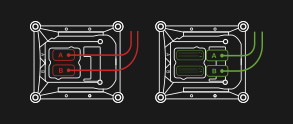
Disconnect both harnesses (A, B) from the ECM/EMS on your truck.
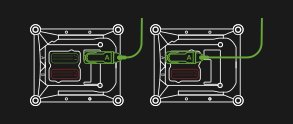
Carefully connect RAZDOLBOSCH adapter to the “A” socket on the ECM/EMS to avoid bending any pins.
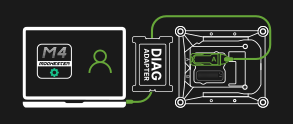
Log in to your account in the Mochester App and make sure the connection to the ECM/EMS module is established.
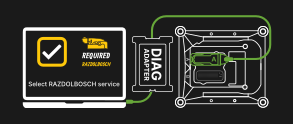
Select services requiring the RAZDOLBOSCH Adapter.
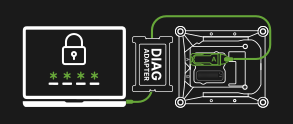
Confirm your order with OTP.
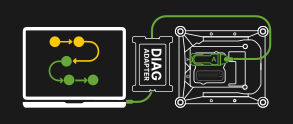
Wait until tuning process is finished.
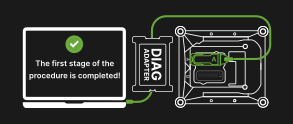
The first stage is completed.
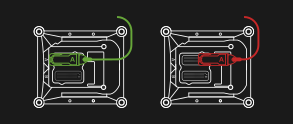
Unplug the RAZDOLBOSCH from the ECM/EMS.
Step 2. How to Tune Your Truck with the RAZDOLBOSCH
An emission warning message may appear on the dashboard if you skipped. You can proceed with this step any time later using “Contact Helpdesk” option.
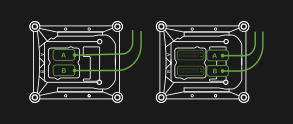
Connect both harnesses (A, B) to the ECM/EMS module on your truck.
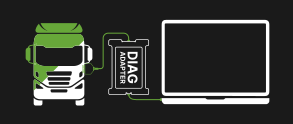
Connect ONLY the DIAG ADAPTER to your laptop and the OBD socket in the cab.
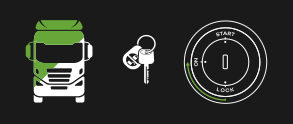
Turn the key to the ON position to continue order processing.
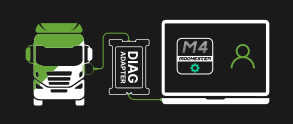
Continue working with the order in the Mochester App.
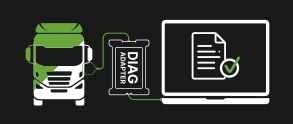
Wait for the order completion report.

Enjoy
Please view this video to understand how to connect you RAZDOLBOSCH adapter to diagnostic laptop and ECU.
Warranty
The RAZDOLBOSCH Tuning Adapter is covered by warranty. For full details, please visit the official Drunklab warranty page.