Log in / Sign in
On this page you will find complete step-by-step instructions on how to purchase and perform remote truck tuning via TeamViewer.
Download Instructions
Using the link, you can download the PDF manual.
Follow the instructions below to quickly and easily purchase tuning services via TeamViewer.
How to Install TeamViewer
Equipment Preparation
-

Laptop or PC: Running Windows (Vista, 7, 8, 10, or 11 supported).
-

Diagnostic Adapter: A USB adapter that supports the RP1210 protocol (such as Nexiq USB-Link, Noregon DLA, DPAS, Inline 6, ScanMatik, etc.).
-

Internet Connection: A stable connection with at least 50 Mbps upload and download speed for firmware downloads and server communication.
Download and Installation
-

Go to the official website: dl.ge.
-

Download TeamViewer and install it on your computer by following the installation wizard prompts.
-

Done!
How to Buy a Tuning via TeamViewer
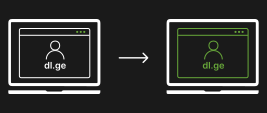
Sign up for dl.ge.

Choose a tuning solution in the catalog.

Book a date and time.

Proceed to checkout.

Top up your wallet on dl.ge and pay for your order.

After payment, you will receive an email to your address with all the details.
Tuning Process via TeamViewer

Download TeamViewer (TV) from dl.ge.
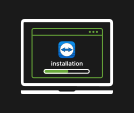
Install the application. * Make sure it is not blocked by your Windows firewall.

About 5–10 minutes before your scheduled service, go to dl.ge and open the contact form in the bottom-left corner. Then click “Send us a message” and select “I have a TeamViewer Appointment”.
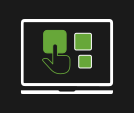
Choose your order as prompted by Robot Oleg or enter it manually.
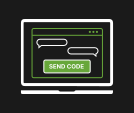
Launch TeamViewer and send the session code to the chat window to our bot, Oleg.

An operator will join the session, and at any moment you can continue communication via WhatsApp. To accomplish this, please scan the QR code provided by the operator.

The operator begins the tuning process and may ask you to do several things, so please stay on the line during the tuning.

After the tuning process is complete, you will receive additional information from the operator.

You will receive an email when your order is complete. An invoice will be emailed to you as well.

Enjoy your tuned vehicle!
Please watch this video to understand how to get tuning solutions via TeamViewer.
What Does Tuning Offer?
Increased Power and Torque
Your engine can gain an additional 15-25% power with ECU (Engine Control Unit) optimization and it will not shorten the engine’s lifespan. This improvement is particularly beneficial for upgradeable trucks, buses, and construction equipment.
DPF, EGR, SCR & VGT Delete
Downtime and expensive repairs are common with these emissions systems. DL.GE provides professional DPF, EGR, SCR, and VGT delete for Cummins, Paccar, and Detroit Diesel engines – eliminating errors, improving stability, and ensuring reliable operation even in extreme working conditions.
Reduced Fuel Consumption
By fine-tuning the fuel maps, your engine works more efficiently — cutting diesel usage by 5–15% while maintaining full torque and performance.
Enhanced Reliability and Longevity
With DrunkLab tuning solutions, software limitations are lifted, and overload protection is provided, which consequentially helps in the longevity of the critical components.
Warranty
Tuning solutions provided via TeamViewer are covered by warranty. For full details, please visit the official Drunklab warranty page.