Log in / Sign in
OTP Setup
How to Link Your Mobile Phone
Below is an example of how to set up OTP.
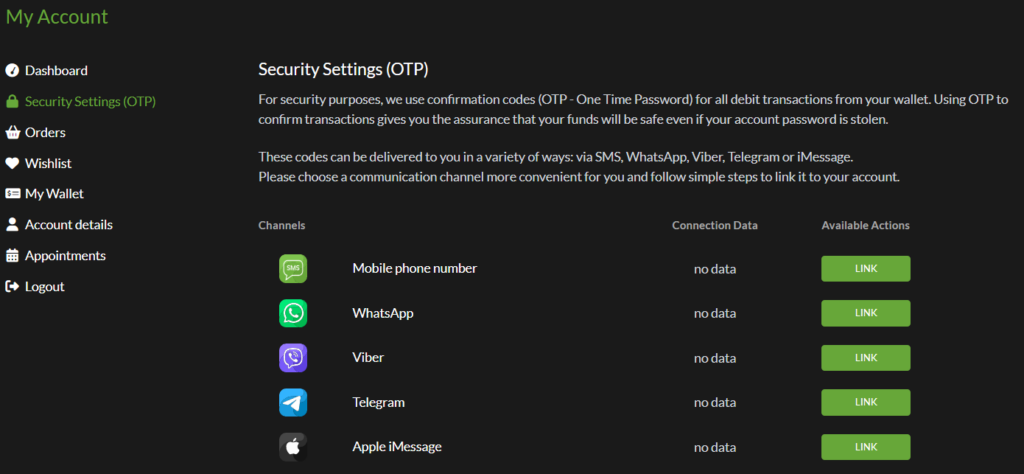
1. From your account menu, click Security Settings (OTP) and in the list of available authentication methods, click the LINK button next to Mobile phone number.
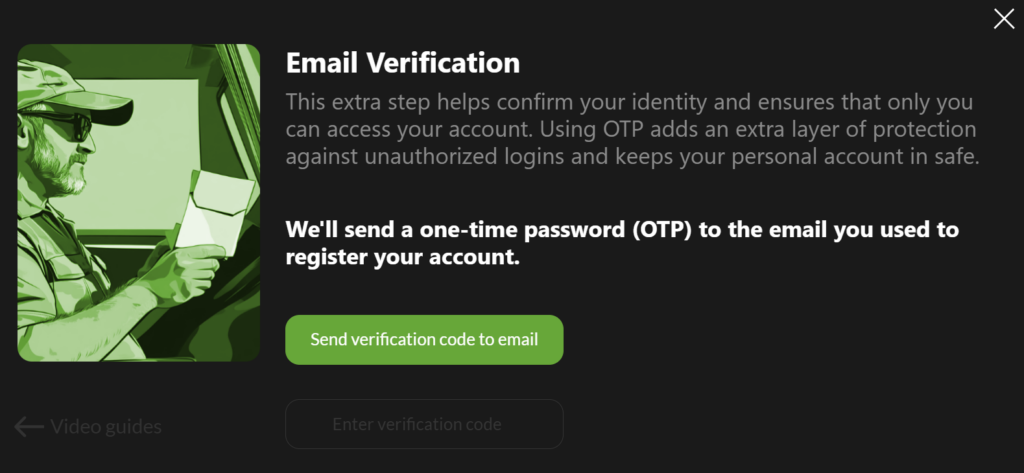
2. For security purposes, you’ll need to verify that you own the account. Click Send verification code to email,
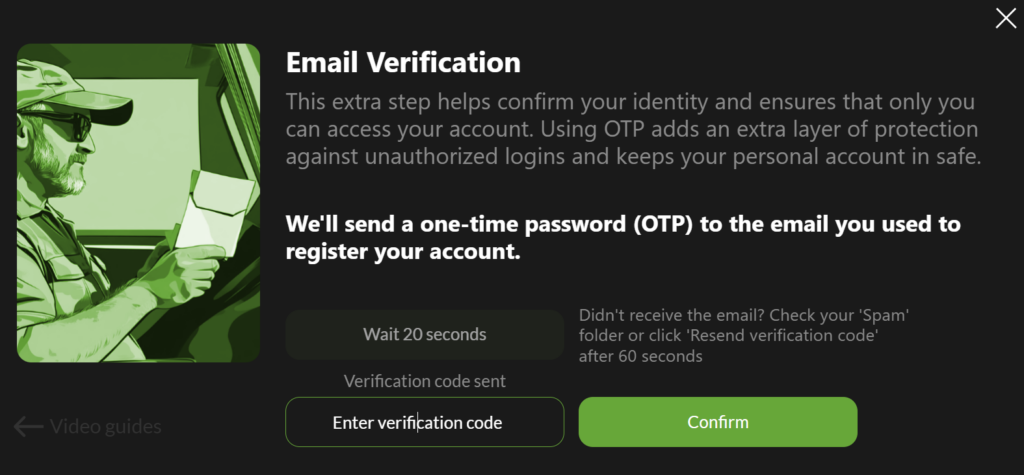
3. Enter the verification code you received in your email.
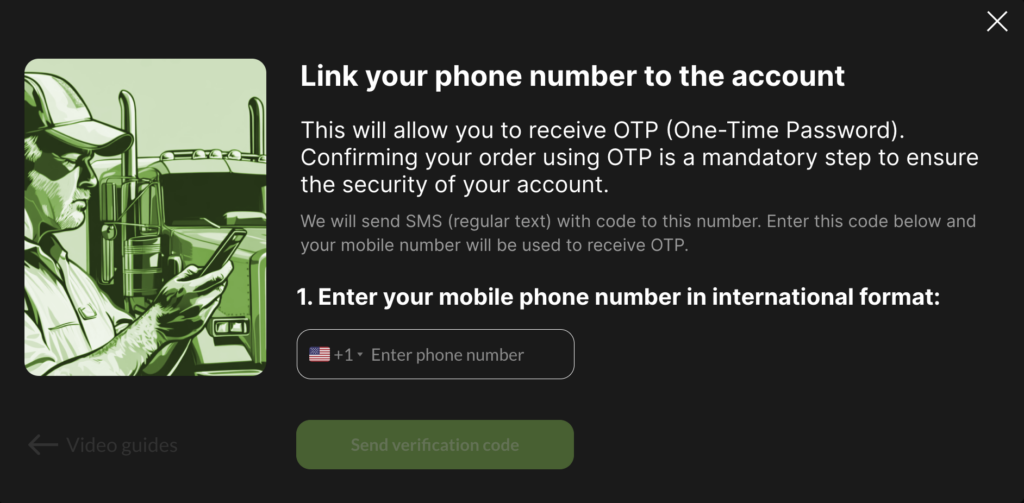
4. Next, select your country from the list, enter your mobile phone number, and click Send verification code.
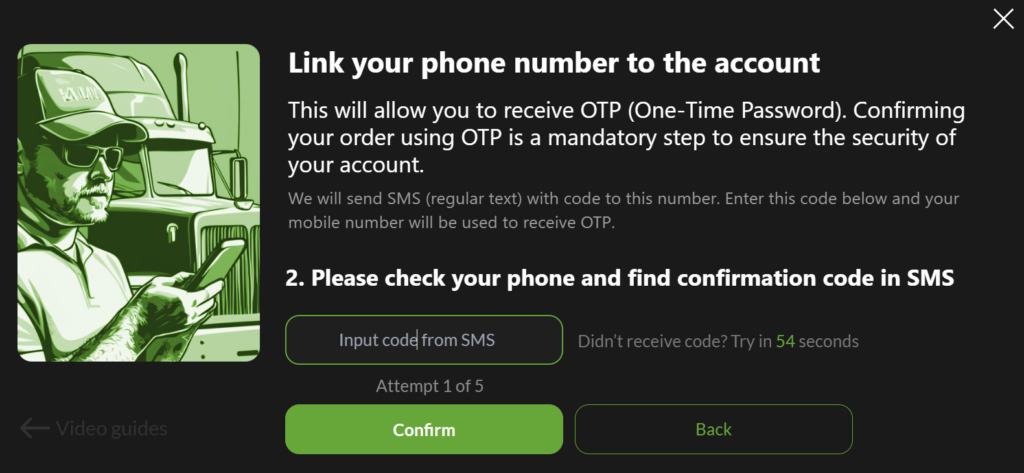
5. On the next screen, enter the verification code you received and click Confirm.
You’re all set! From now on, you’ll receive OTP codes on your mobile phone.

Congratulations on your verification!