DL.GE Updates: Redesigned Product Cards, New Support & How to Buy Pages
Our aim at DL.GE is to always enhance the customer experience using the DL.GE platform. This update incorporates the newest informational pages, many optimizations, and usability.
Product Card Footers
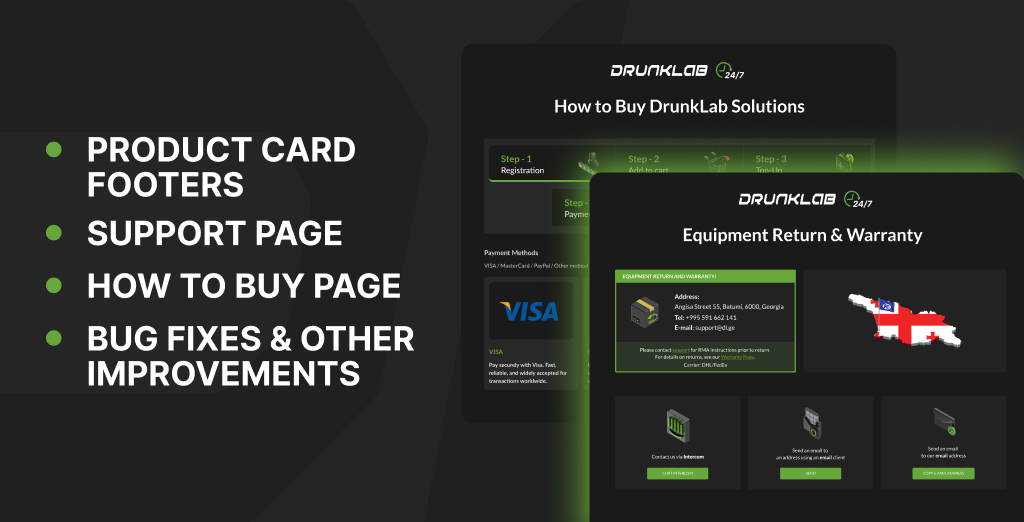
We have clarified important information in the redesigned product card footers. The new layout displays information and related actions more structurally, and helps customers find the information they want about a product.
Support Page
A Support page has been created to contain resources for customers who have purchased a DL.GE product. This page contains RMA instructions and warranty information and allows customers to contact support via Intercom and email. The Support Page enables customers to find important information in a shorter amount of time.
How to Buy Page
We’ve added a new How to Buy page that explains the purchasing process for every type of DL.GE product and service. Whether you’re ordering hardware products or purchasing a tuning solution via TeamViewer or the Mochester App, the page provides a clear overview of the steps involved, helping you choose the correct purchasing workflow for your needs.
Bug Fixes & Other Improvements
Incorporated in this update are many minor issues that have been resolved. Improvements in usability, product performance, and platform stability have also been included.
Thank you for choosing DL.GE. We appreciate your feedback and support, and we will continue to make iterations at our earliest opportunity to increase the speed and frequency of updates, as well as simplification and ease of use of the platform.
The DrunkLab Team